
Dealer guide
The clean-up sheet: fix messy feed data
How the clean-up sheet tidies your feed on every import, and how to add or change a rule. About 5 minutes.
You need:WordPress admin login · an example of the messy value (look at a car or a filter on your site)
How it works
Every feed spells things differently: "CHEVY", "Chevy", "chevrolet". Without clean-up your filters would show all three. On every import, each value is checked against the Clean-up sheet: "Feed says X → save Y". It comes with about 1,700 ready-made rules. Matching ignores capitals and extra spaces.
| Tab | Feed says | Saved as |
|---|---|---|
| Make | CHEVY | Chevrolet |
| Model | F150 | F-150 |
| Body | Sport Utility | SUV |
| Drive | Four Wheel Drive | 4WD |
| Trans | 6-Spd Automatic | Automatic |
| Fuel | Gas | Gasoline |
| Ext / Int color | Ruby Red Metallic | filter: Red (name stays) |
| Features | Bluetooth Connectivity | Bluetooth |
Step 1 – Open the sheet
- Go to Vehicles › Clean-up sheet.
- Pick a tab: Make, Model, Body, Drive, Trans, Fuel, Ext color, Int color or Features. The number shows how many rules it has.
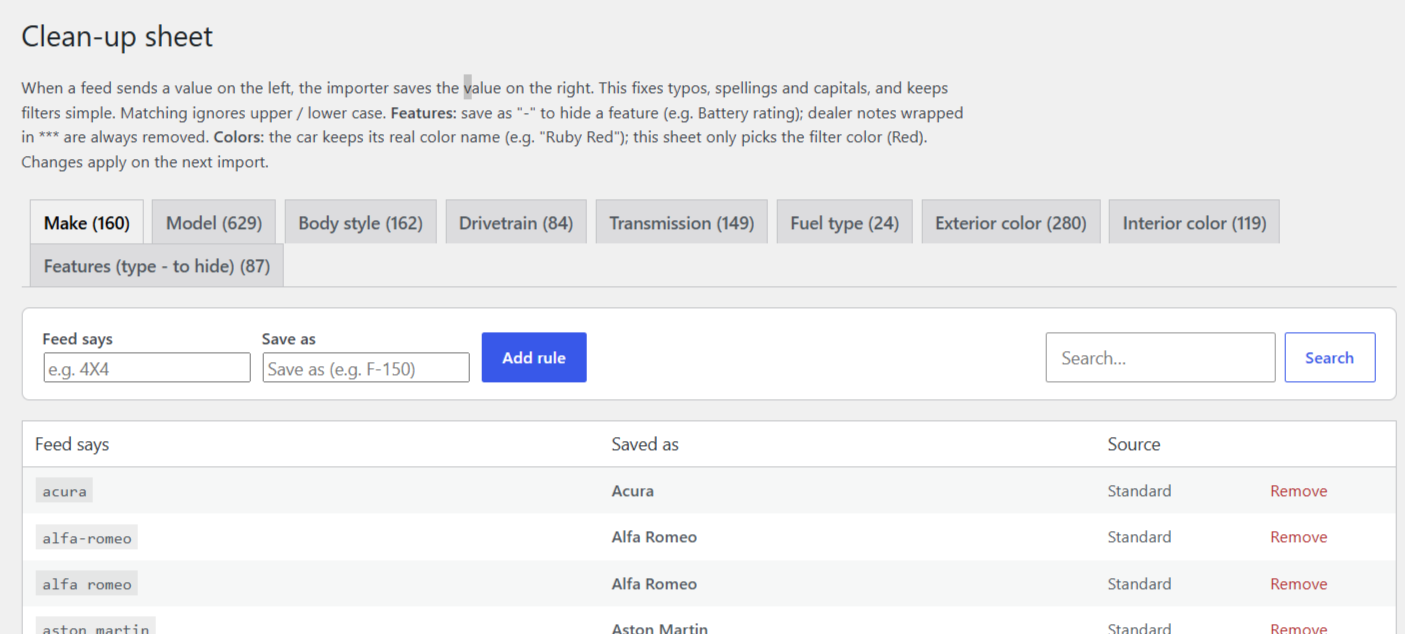
Step 2 – Find a rule
- Type in the search box (e.g. "silverado") to find a rule.
- Each row shows what the feed says and what's saved. Ready-made rules and your own are marked.
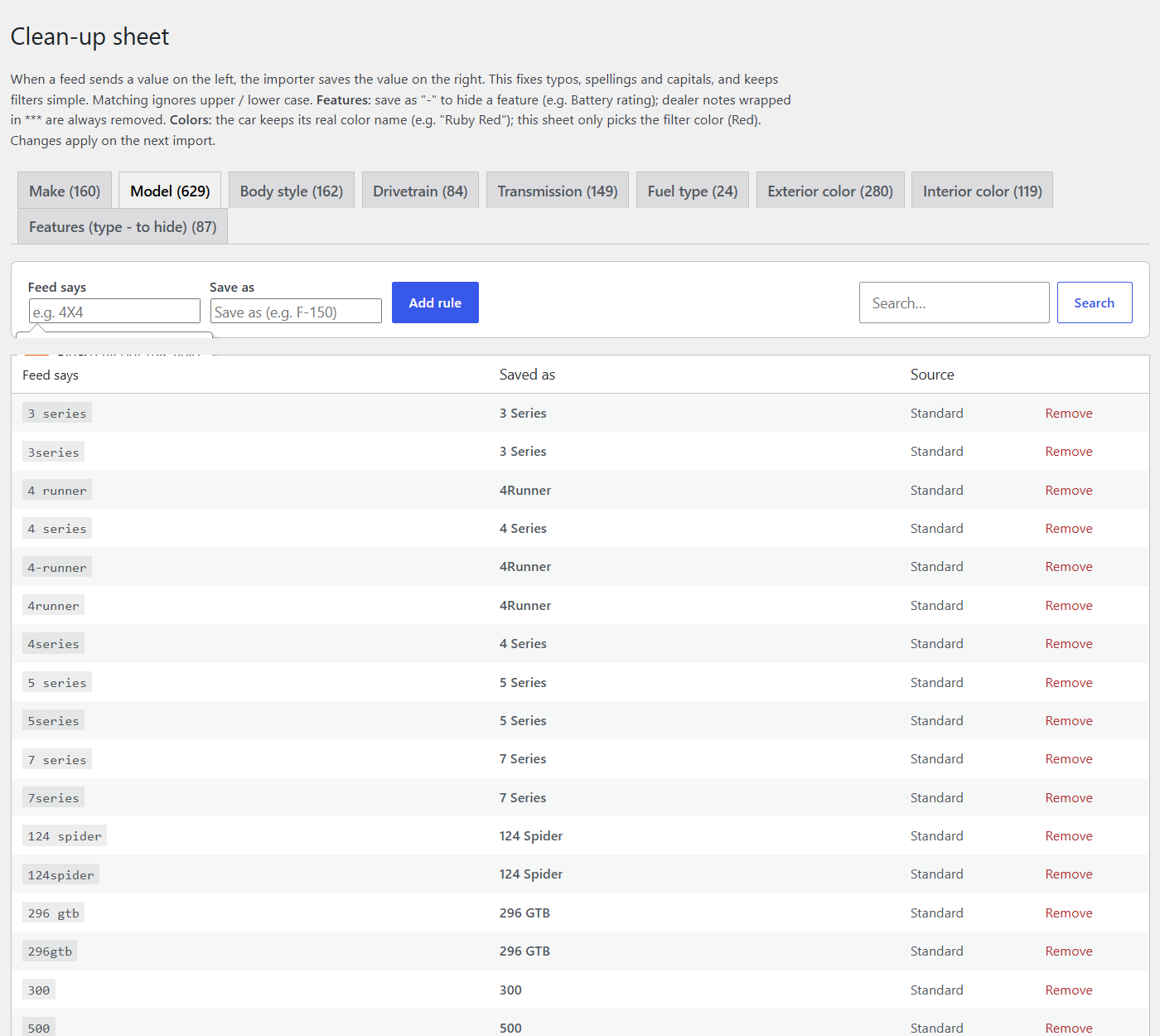
Step 3 – Add your own rule
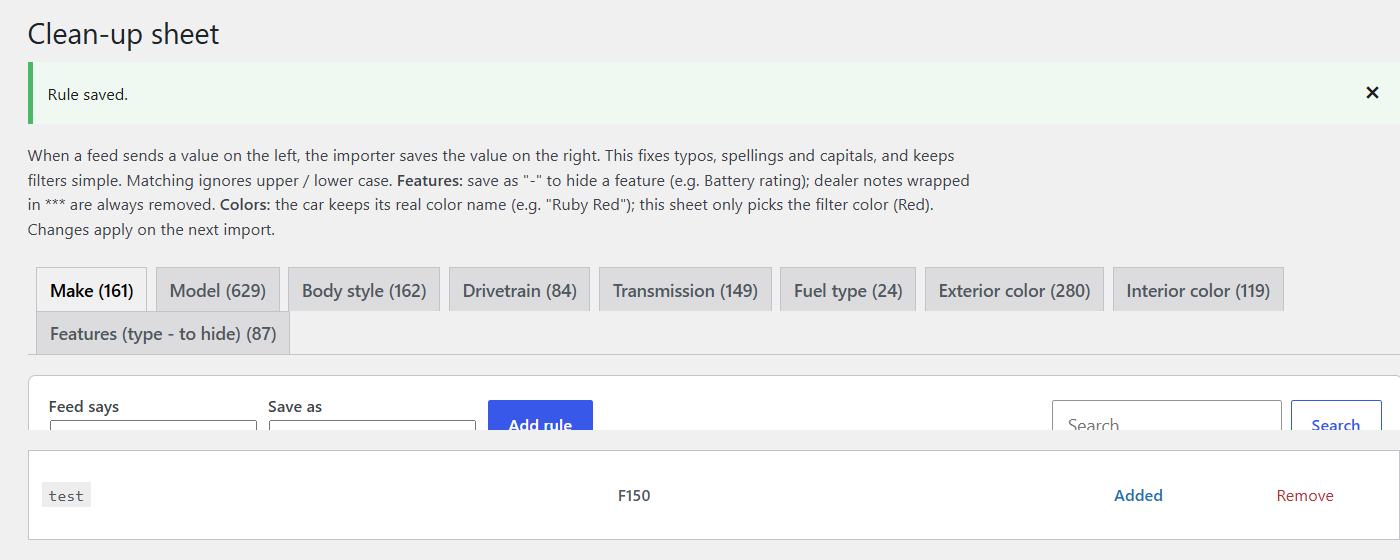
- Type what the feed sends (e.g. Silverado1500).
- Type or pick what you want saved (e.g. Silverado 1500). Body, drive, fuel and colors give you a list to pick from.
- Click Add.
Step 4 – Change or turn off a rule
- Change what's saved and click save on that row.
- Don't want a ready-made rule? Turn it off – the feed value is then used as it is.
Step 5 – Run the feed
- Changes apply from the next import. Click Run now on Vehicles › Import feeds to see them right away.
Special rules: Colors keep their real name ("Ruby Red") – the sheet only picks the filter color (Red). Features: save as - to hide a feature (e.g. "Battery rating"). Dealer notes wrapped in *** are always removed. Junk trim words ("4dr Car", "N/A") are handled separately in Vehicle settings › Listings › Trims to ignore.