
Dealer guide
Edit your vehicles on a computer
Change prices, details, photos and SEO for any car. Feed cars keep your changes.
You need:WordPress admin login
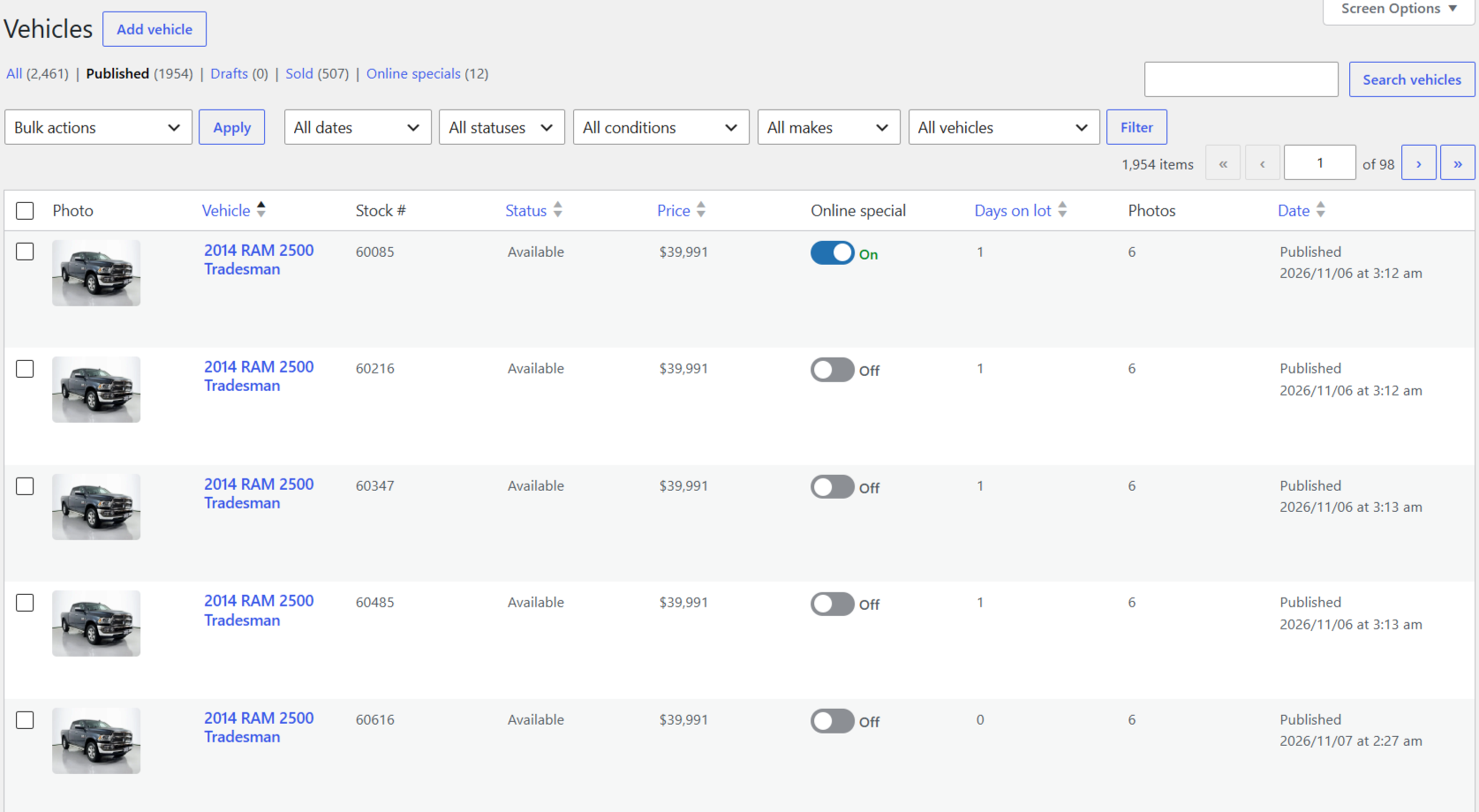
Step 1 – Find the car
- Go to Vehicles.
- Search by VIN, stock # or name, or use the tabs (Live, Drafts, Sold).
- Click the car's name.
Step 2 – The edit screen
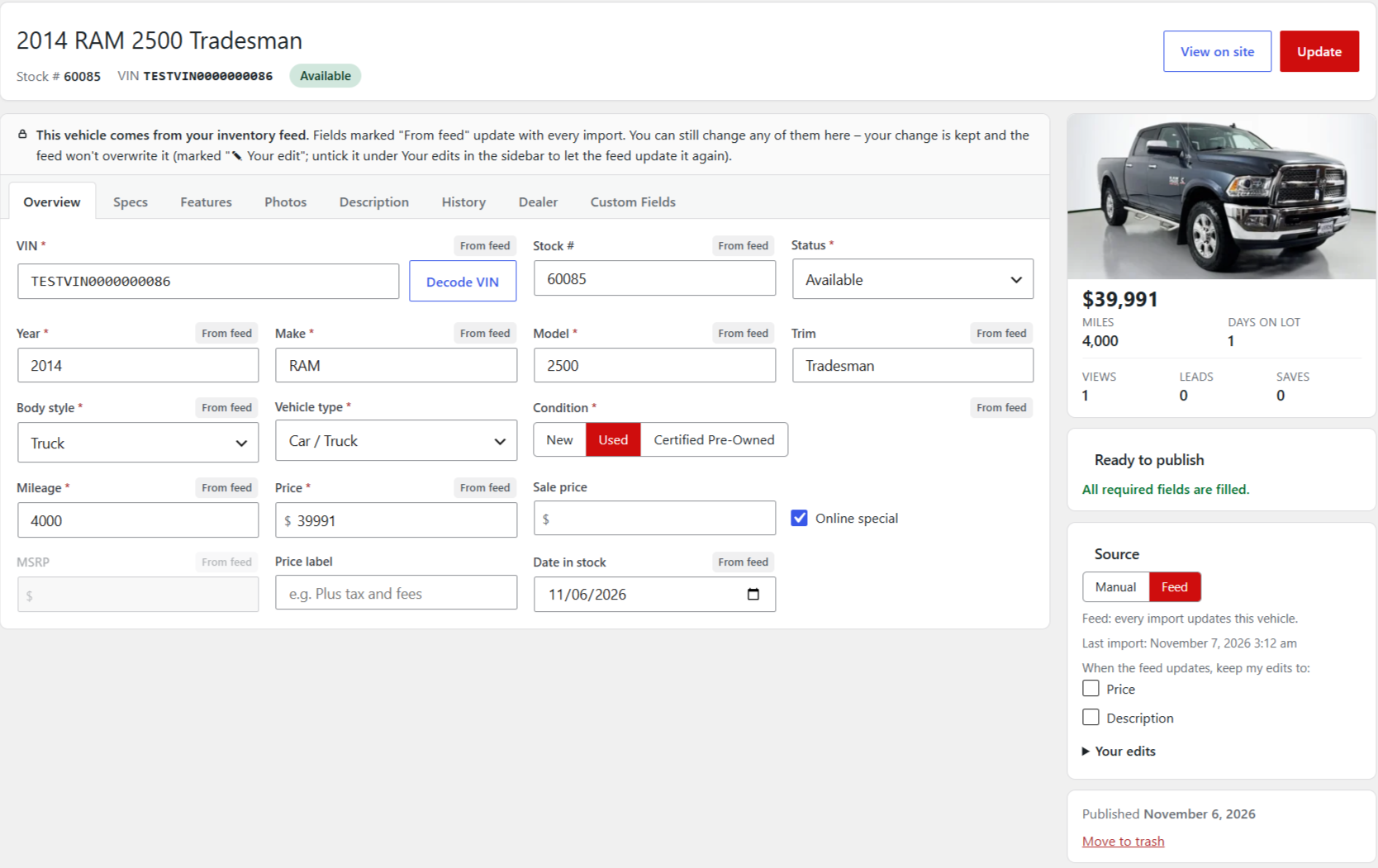
The title, stock #, VIN and status are at the top. The tabs hold everything else: Overview, Specs, Features, Photos, Description, History, Dealer.
Step 3 – Change a price or detail
- Click a box (e.g. Price) and type the new value.
- Click Update (top right).
- On a feed car the box now shows ✎ Your edit – the feed won't overwrite it.
Step 4 – Let the feed take over again
- In the sidebar, under When the feed updates, keep my edits to, untick it (or open Your edits for other boxes).
- Click Update. The next import brings the feed value back.
Step 5 – Photos, features and description
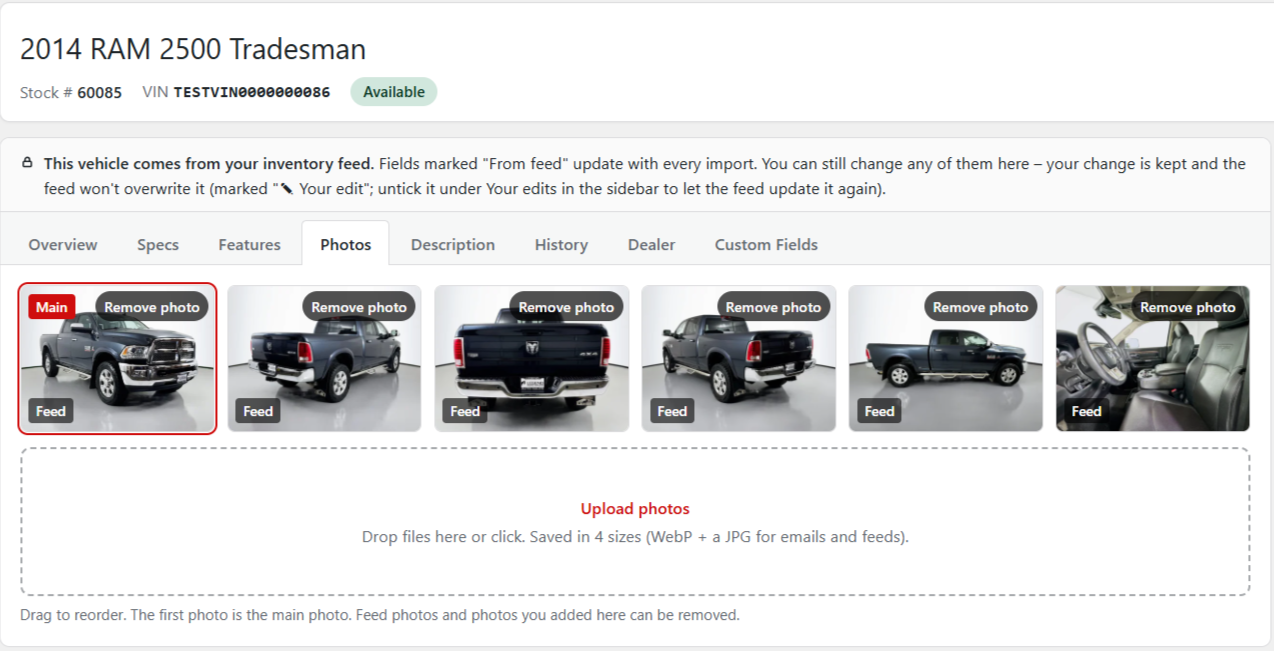
- Photos: add, drag to reorder (first = main photo), or remove.
- Features: tick what the car has.
- Description: write your own, or use the automatic one (Copy into the box to edit).
Step 6 – SEO (optional)
- Under the car, the SEO box is filled in for you.
- Add a focus keyword to see a checklist, or change the share image.
Mark a car sold by changing Status to Sold and clicking Update. Full details: Dealer guide, section 7.