
Dealer guide
Run the setup
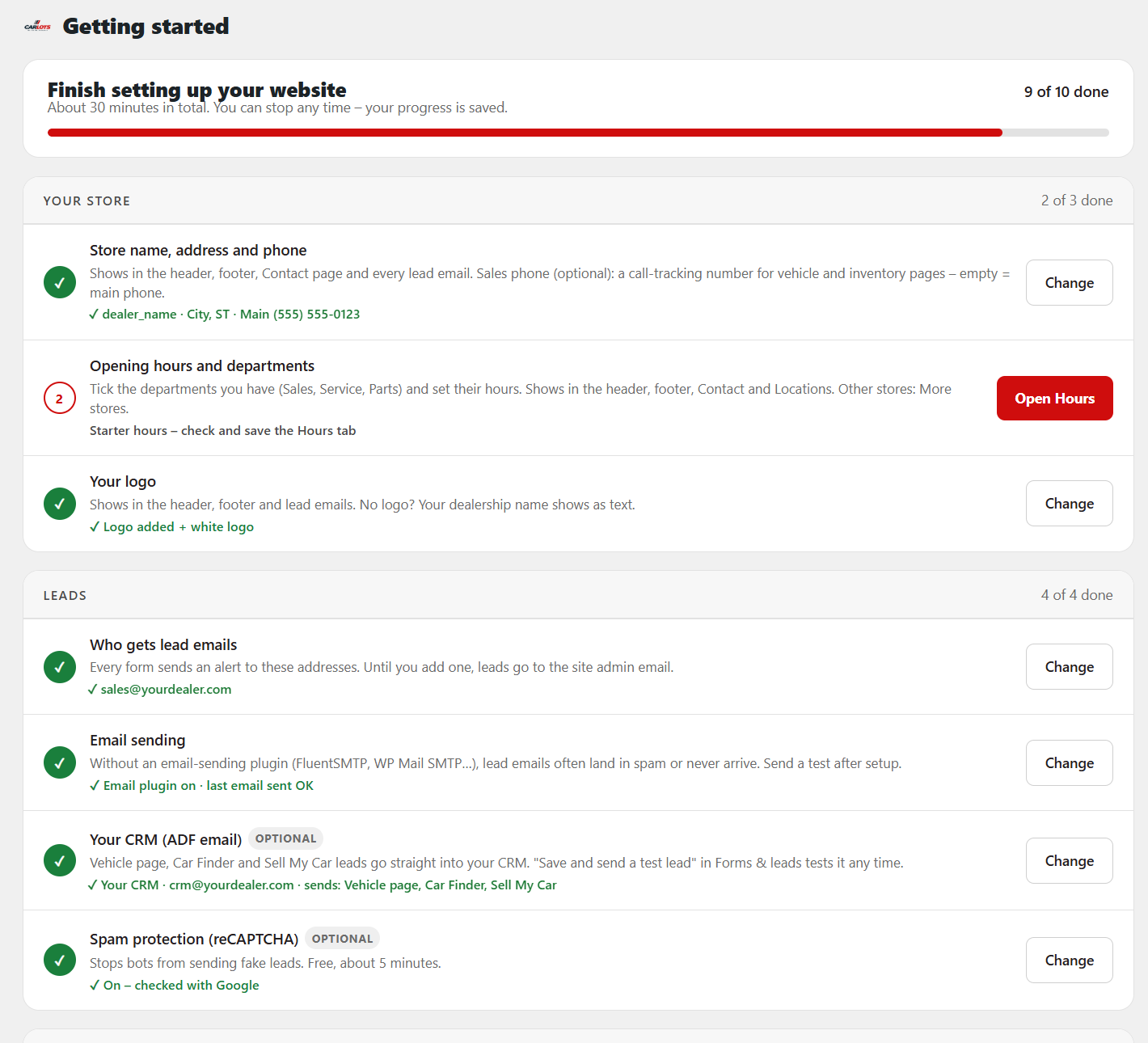
10 steps on the Getting started checklist fill in your whole website. About 30 minutes. Your progress is saved, so you can stop any time.
You need:WordPress admin login · dealership name, phone, address and logo · hours for each department · who should get lead emails · your CRM lead (ADF) email, if you have one
Step 1 – Open the checklist
- Go to Car Lots › Getting started. It opens by itself after you install.
- It lists 10 steps in 4 groups: Your store, Leads, Inventory, Look.
- Click the red button on the next step. Done steps show a green check.
Step 2 – Store name, address and phone
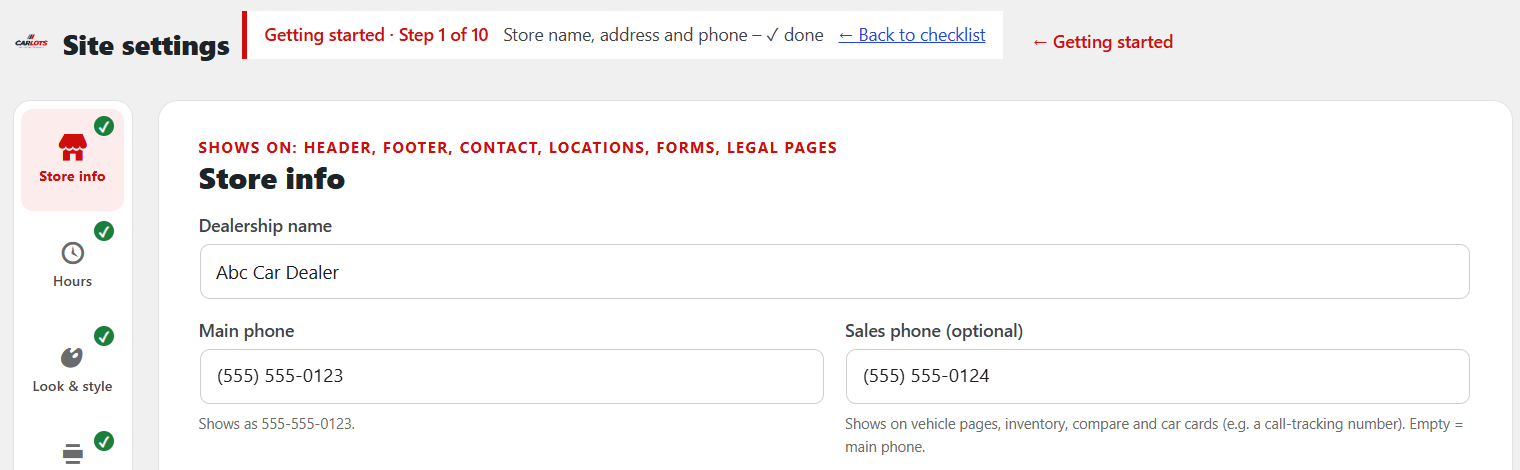
- Site settings opens on Store info. The bar at the top shows which step you're on, with Back to checklist.
- Fill in your dealership name, main phone and address. Sales phone is optional (for a call-tracking number).
- Click Save and next.
Step 3 – Hours and departments
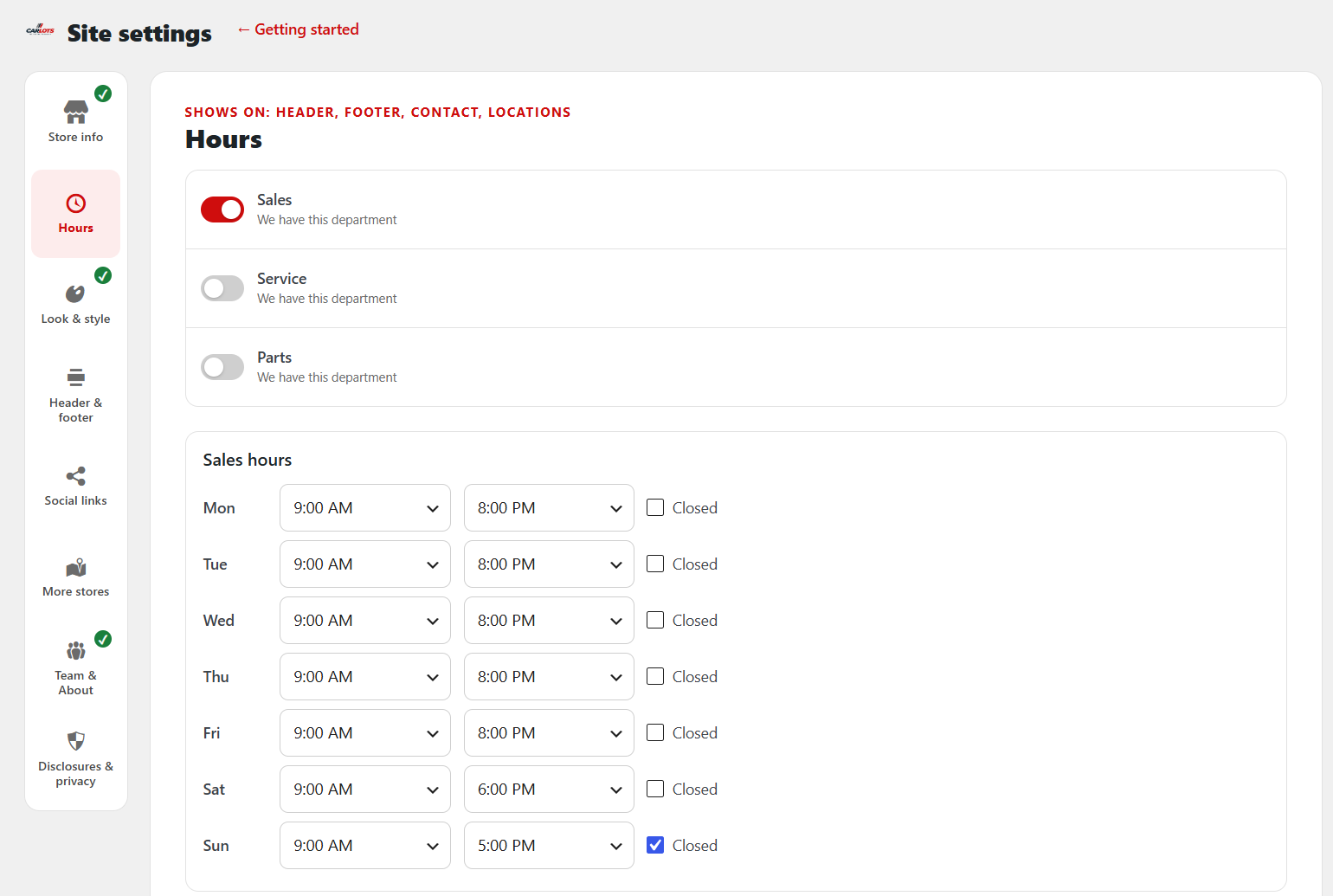
- Turn on the departments you have: Sales, Service, Parts.
- Set the hours for each day. Tick Closed for days you're closed.
- Click Save, even if the starter hours are right. The step only turns green once saved.
Step 4 – Your logo
- On Store info, under Logo, click Choose image.
- Add a white version too, for dark backgrounds. No logo? Your dealership name shows as text.
Steps 5–8 – Leads
- Who gets lead emails: add the addresses in Car Lots › Forms & leads, for all forms or only some.
- Email sending: set up an email plugin so leads don't land in spam. See the Email setup guide.
- Your CRM (optional): enter your CRM's lead (ADF) email address, then click Save and send a test lead.
- Spam protection (optional): turn on reCAPTCHA. It's free and takes about 5 minutes.
Steps 9–10 – Inventory and look
- Import your cars: see the Import feed guide. Faster photos (optional): see the Cloud Images guide.
- Colors and layouts: see the Pick your look guide.
All done? When all 10 steps are green, click Hide this checklist at the bottom. You can stop any time; your progress is saved.
Change anything later in Car Lots › Site settings. Full details: Dealer guide, section 3.